


Ad It Up—Save on Your Bills
4.720.27K Reviews
App Specs
- Version
- 3.72.00
- Updated On
- License
- Free
- Downloads
- 1,000,000+
- Developer
- Play2Pay, Inc.
- Categories
- Shopping
- Platform
- Android, iOS
Screenshots
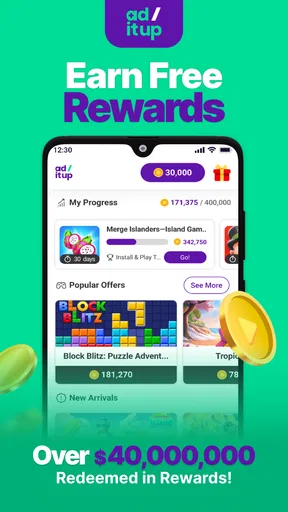
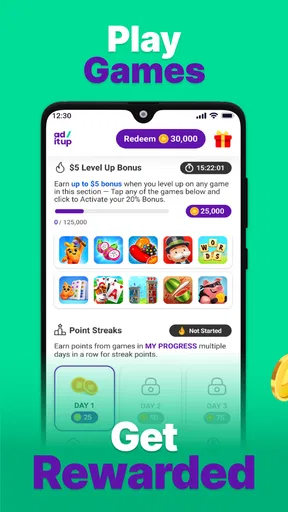

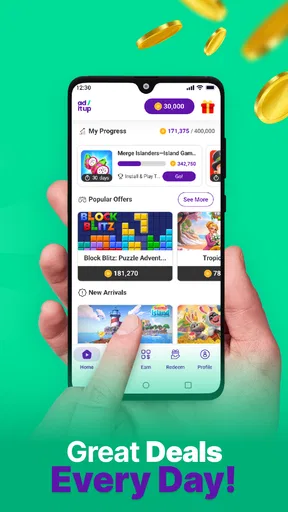
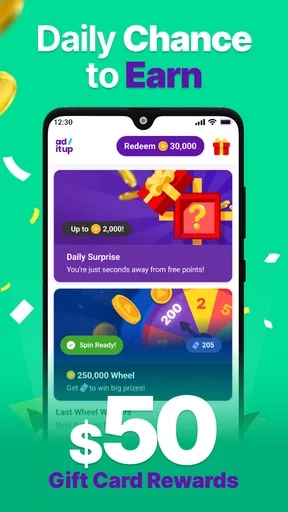
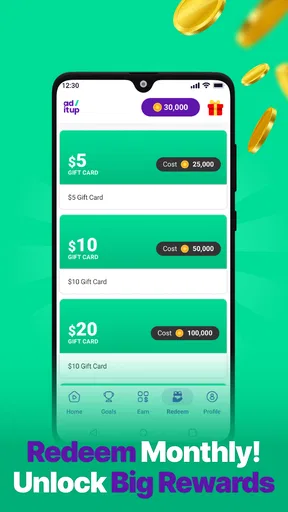
 Analysis by AppCompare
I approached Ad It Up—Save on Your Bills as a shopping app with an unusual exchange: instead of simply browsing products or collecting conventional coupons, you interact with promotional game offers and work toward wireless bill credit. That makes it more interesting than a standard cashback shelf, but also more dependent on how carefully you manage your time, account choices, and expectations.
My first impression is that this is best understood as a small rewards routine rather than a replacement for normal shopping. The app is free, is rated for Everyone, and comes from Play2Pay, Inc. Its public reception is strong, with a 4.7 average from around 45 thousand ratings, while more than a million people have installed it. Those figures suggest that the basic idea is easy for many users to understand: play selected games, engage with offers, and aim to reduce the cost of a wireless bill.
What using Ad It Up feels like in everyday life
The most practical way to use it is to treat it as something you check during spare moments, not as a serious income source. Imagine waiting for an appointment or winding down after dinner. You open the app, look at the available game-related opportunities, choose one that seems worth your time, and then decide whether the required activity fits naturally into your evening. The value comes from making that spare time do double duty, not from forcing yourself to play for hours.
That distinction matters because the reward is tied to participation. A game may be enjoyable enough to keep you interested, but the financial benefit is the reason you opened the app in the first place. I would therefore judge every offer by two questions: would I still enjoy this activity without the reward, and does the expected bill credit justify the attention it demands? If the answer to both is no, moving on is usually the sensible choice.
Compared with ordinary shopping apps, Ad It Up focuses less on finding a lower price at checkout and more on converting engagement into wireless savings. A coupon app is usually strongest when you already know what you want to buy. A conventional cashback service is useful after an eligible purchase. This app fits a different moment: when you are willing to spend leisure time interacting with offers in exchange for progress toward a phone bill.
That model will appeal to people who already enjoy mobile games and want a practical reason to try new ones. It is less convincing for someone who wants immediate savings, dislikes promotional tasks, or prefers rewards that arrive automatically after shopping. In my view, the app is most suitable as an optional side habit, not something to build a monthly budget around.
Why the developer and public reception matter
Play2Pay, Inc. is the developer behind the experience, and the app has been available since July 2019. Its current version is 3.72.00, and it requires at least iOS 11. The combination of a long public presence and a large install base gives the app more context than a brand-new rewards experiment, although longevity alone should never replace checking the choices shown on your own device.
Worth Reading Before You Choose

EA SPORTS FC Mobile 26 Is a Bigger Football Game, but It Takes Time

Flipboard Shows What News Apps Must Do Beyond the Feed

Switching to Android Auto Means Rethinking Your Driving Routine

Google Calendar Makes a Crowded Week Easier to Manage

Ludo King Makes the Most of the Minutes Between Plans

Baby Panda World Brings Quick Play to Modern Phones, but Its Game Library Feels Busy
I also pay attention to the difference between a high average rating and the actual way an app fits my habits. A strong rating can tell me that many people find the concept worthwhile, but it cannot tell me whether a particular offer will suit my patience, phone plan, or privacy comfort. I would read recent user comments for signs of recurring friction, then test the app with a small amount of time before making it part of my routine.
The Everyone age rating makes the app broadly approachable, but that should not be confused with “no supervision needed.” Younger users may be especially tempted to continue playing simply because progress feels rewarding. I would encourage families to discuss screen time, account ownership, and what information a rewards app requests before allowing regular use.
Account choices deserve attention before the first offer
Rewards apps work best when the account setup is deliberate. Before I started treating the app as part of my bill-saving routine, I would make sure I understood which account receives credit, how I would recognize successful progress, and what contact details are attached to the account. Those small checks reduce the chance of spending time on an offer while using the wrong profile or expecting savings to appear somewhere else.
I would also keep the account details consistent and avoid creating duplicate profiles just to experiment. Multiple accounts can make tracking difficult and may create confusion about where progress belongs. A simple note of the offer I selected, the date I began it, and the result I expected is surprisingly useful. It gives me a personal record without relying on memory when I return later.
Another good habit is separating the app from unrelated shopping decisions. I would not install a game solely because an offer looks attractive if I already know I will not enjoy it. The reward should compensate for an activity I am comfortable doing, rather than becoming a reason to fill my phone with apps I do not want.
How I would evaluate an offer before committing
The visible offer details are the first place to slow down. I would look for the action required, the way progress is recognized, and any conditions displayed before beginning. The important point is to inspect the offer on the screen where I am about to accept it, rather than relying on a vague memory of a promotional message.
This is one of the less obvious strengths of a careful workflow: it turns the app from a stream of tempting icons into a set of choices with a time cost. I would compare several available options instead of automatically selecting the first one. A familiar game that I can play casually may be a better choice than a supposedly attractive offer that demands constant attention.
I would also avoid switching devices or accounts in the middle of an offer unless the app clearly supports that behavior. Tracking systems can be sensitive to how an activity begins and where it continues. Even without assuming a technical problem, keeping one consistent path makes it easier to understand what happened if progress is not reflected as expected.
My personal rule would be to stop when the activity stops being enjoyable. Wireless credit is useful, but the app should not turn a short break into an obligation. If I find myself checking progress repeatedly, replaying tasks only to satisfy a target, or continuing after the entertainment has disappeared, the trade-off is no longer favorable.
Data-sensitive moments need a calm review
Trust in a rewards app is not just about whether the idea sounds fair. It also depends on the choices presented while installing, signing in, browsing offers, and interacting with games. I would review the permissions and privacy explanations shown by the app and by the operating system, paying attention to what is optional, what is necessary for the service I want, and what I can decline without losing access to unrelated parts of my phone.
I would not grant a permission automatically just because an offer appears to require it. Instead, I would ask whether the request makes sense for the action I am taking and whether the app gives me a clear choice. If a permission feels unrelated to earning bill credit or playing a selected game, that is a good moment to pause and reconsider the offer.
The most sensitive moments are often outside the main rewards screen. Installing a third-party game, signing into an account, receiving notifications, and moving between apps can each introduce new prompts. I would read those prompts separately rather than assuming that accepting one choice approves everything that follows. The app may be the starting point, but the connected experience can involve other software and its own controls.
I would also review notification settings. Reminders can be useful when they help me remember an offer I intentionally selected, but frequent promotional alerts can turn a voluntary activity into background pressure. Keeping only the notifications that support my chosen routine is a simple way to preserve control.
Keeping control over time, spending, and expectations
The clearest user-control feature is the ability to decide whether an offer deserves attention at all. I would set a personal time limit before starting, especially when trying a new game. That limit protects the original purpose of the app: saving on a bill without quietly consuming the evening that the saving is supposed to support.
I would also avoid spending money inside a game simply to reach a rewards milestone unless I had independently decided that the purchase was worthwhile. A virtual purchase can make progress feel faster, but it changes the calculation completely. The safest comparison is between the total out-of-pocket cost and the actual bill credit, while also considering whether I would have made the purchase without Ad It Up.
For the same reason, I would not describe the app as “free savings” in an unlimited sense. The app itself is free, but the user may still pay with time, attention, mobile data, battery, or optional in-game spending. Those are real trade-offs. Someone with a generous Wi-Fi routine and a genuine interest in mobile games may find them acceptable; someone with limited data or little patience may not.
A useful tracking method is to review the app once a week rather than opening it compulsively. I would note which offers I started, which ones I abandoned, and whether the resulting credit felt worthwhile. This creates a personal threshold for future choices. If several sessions feel like work for very little benefit, that is evidence to reduce use or return to ordinary bill-saving methods.
Where it beats ordinary alternatives—and where it does not
Ad It Up has an advantage over standard coupon apps when the user does not have a purchase planned but does have spare time and an interest in games. It can make a routine phone activity feel more purposeful. It also differs from traditional shopping rewards because the target is wireless bill credit rather than a discount on a particular product.
On the other hand, a price-comparison tool is better when I need to buy something immediately. A retailer coupon is better when I already have an eligible order. A bank or carrier promotion may be better when I want a predictable offer with minimal ongoing interaction. Those alternatives ask less of my attention, even if they do not provide the same game-based route to savings.
The app is also not ideal for users who dislike installing additional games, want a fixed reward for a fixed action, or need complete certainty about the time required before starting. In those cases, the flexibility of choosing among offers may feel less valuable than the simplicity of a conventional discount.
My most realistic recommendation is to use it selectively. Pick an offer that matches something you would genuinely try, keep notifications and permissions under review, and stop measuring success by how long you remain active. The best outcome is a small, controlled routine that produces useful credit without changing your wider phone habits.
My cautious verdict after weighing the trade-offs
Ad It Up—Save on Your Bills is worth trying if you enjoy mobile games and are comfortable exchanging spare time for wireless bill credit. Its free entry, broad age rating, established presence, and strong public reception make it a reasonable candidate for a careful trial. I especially like the idea of turning otherwise idle gaming into a practical household benefit, provided the user remains selective about offers and connected apps.
I would not recommend treating it as guaranteed monthly income or as a substitute for comparing phone plans, negotiating bills, or using ordinary shopping discounts. The value depends on your behavior: how much you play, which offers you choose, what permissions you accept, and whether the activity remains enjoyable. A person who manages those choices thoughtfully can get genuine use from it.
My final approach would be simple: install it only if the game-based model sounds appealing, inspect every visible choice before accepting an offer, keep account and notification settings tidy, and review the result against the time spent. If that balance works for you, the app can be a clever addition to a shopping and savings toolkit. If it feels like pressure disguised as entertainment, a more direct savings option will probably serve you better.
Pros
- Earn rewards by completing short surveys and sharing shopping insights.
- Simple interface makes it easy to track points and available rewards.
- Offers a variety of gift card and cash-out options in supported regions.
- Can be used casually without requiring long daily sessions.
- Useful for comparing spending habits and discovering potential savings.
Cons
- Reward availability and survey access may vary by location and profile.
- Some surveys screen users out after answering several questions.
- Points may accumulate slowly unless you use the app regularly.
- Cash-out thresholds can make small earnings difficult to redeem quickly.
- Requires personal and shopping-related data to personalize opportunities.
FAQs for Ad It Up—Save on Your Bills
What is Ad It Up—Save on Your Bills?
Ad It Up—Save on Your Bills is a rewards app that lets you earn points by interacting with sponsored content, completing selected activities, and viewing advertisements. The points can generally be exchanged for rewards or applied toward eligible bills, depending on the offers available in your account. Before downloading, check whether the service supports your country, bill providers, and preferred payment methods.
How do I earn rewards with Ad It Up?
After creating an account, you can usually earn points by watching ads, answering questions, trying promotional offers, or completing other activities shown in the app. Each task should display its reward and any requirements before you start. I recommend reading the conditions carefully, because some offers may require registration, a purchase, or continued use of another service before points are credited.
Can Ad It Up really reduce or pay my bills?
The app may help you save on eligible bills by allowing you to redeem accumulated points, but it should not be considered a guaranteed way to cover your regular expenses. Available redemption options, minimum balances, participating providers, and reward values can change. Review the current terms inside the app and confirm that your bill qualifies before spending significant time completing offers.
Is Ad It Up—Save on Your Bills free to use?
Downloading and using the basic app is generally presented as free, although some promotional activities may involve third-party services, subscriptions, purchases, or other conditions. The app should clearly identify those requirements, but users should still check the fine print before accepting an offer. Never provide payment details unless you understand exactly what you are signing up for.
Is Ad It Up safe and worth downloading?
The app can be useful for people who are comfortable exchanging time and attention for small rewards, but its value depends on the number of available tasks and how easily you can redeem points. As with any rewards platform, review its privacy policy, permissions, ratings, and developer information before installing. Avoid suspicious offers, protect your login details, and use a unique password.


